
No Collections Here
Sort your projects into collections. Click on "Manage Collections" to get started
Birdie
Lightweight scorekeeper for the amateur golfer


Overview
Existing golf apps are bloated and difficult to use for new golfers - there is very little consistency in visual design, where even the most minor actions have substantial cognitive load. The client required a solution that wasn't intimidating to a new golfer - an easy to understand and straight forward companion app.

Solution
I designed a lightweight solution for amateur golfers to improve their game without overwhelming features meant for long-time golfers. Conducting market research and competitive analysis to deliver a stand-out simple and easy to use app for a wide audience.

Team
1 x Developer

Duration
6 Month Contract

Role
UX Designer
Research
Learning the environment
Market research revealed a landscape of multi-faceted apps that provide several features, from purchasing courses and merchandise to monthly subscriptions for access to satellite imaging of nearby golf courses. There was a lot of information on screen, and often menus had to be navigated before I would learn where to input my scores.
What is the thought pattern that leads to the decision to download a golf app?
What feature is the most valuable to a new golf enthusiast when they are looking for an app?
What challenges are users facing when they use a golf app?
Identifying Challenges
Who am I designing for
I interviewed 6 golfers aged 26-40 who had all been golfing for at least one year. The goal was to understand the thoughts behind getting started as an amateur golfer and to distill their challenges.
Users expressed frustration about scorecards - they don't like having to collect them and keep them somewhere without losing them.
Users had trouble gauging their growth over time.
Users weren't using golf apps - they were keeping score on scorecards and their phones' note apps, in more than one instance one person would take down the scores for everyone each hole.
Narrowing the scope
Distilling key themes
Using insights from the golfer's interview responses, I distilled three key themes to guide our solution in order to address users' main challenges:
1
Keeping score
2
Viewing previous games
3
Approachability
Ideation
Applying solutions
My solution's primary flow will be 1 keeping score. A scorecard that can be adjusted to include more than one player - savable so that users can 2 view their previous games in order to see their progress across games overtime. Those will be the only two flows - maintaining 3 approachability, keeping our solution accessible and not intimidating.

Initial Sketches
Maintaining a minimalist visual appearance with clearly defined input areas and options to minimize cognitive load, leaning on established mental models, the visual design should look familiar, like a paper scorecard. Maximizing empty space and keeping information concise.


Early Iterations


Game setup


Scorecard with active input
Insight: New players did not know how to calculate or use handicaps.
Action: Removal of setting player handicaps.
Insight: Testers reported players never join mid game due to having missed already played holes.
Action: The option to add players after the game-setup screen was removed.
Insight: Testers reported players never join mid game due to having missed already played holes.
Action: The option to add players after the game-setup screen was removed.
Insight: Some testers were working specifically on their putting.
Action: Add total putts per hole and total putts per game.
Testing after the initial iterations revealed some redundancies and room for adjustments.
Testing
Refining decisions
Final Design
Birdie, Your lightweight golf companion


From left to right : course name and game length -> players -> scorecard -> game history
With an approachable and familiar design, Birdie is a lightweight simple to use score keeping app that lets you view your old games to see how you've improved overtime highlighting low cognitive load and ease of use.
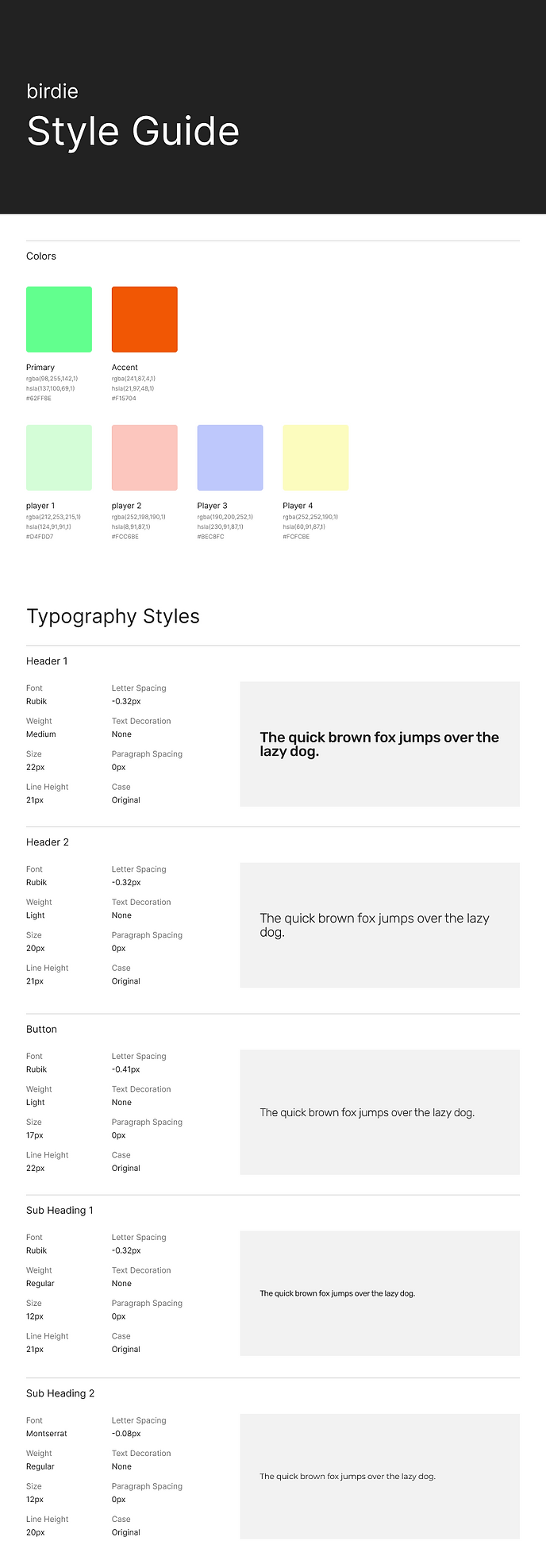
Style Guide
Future Considerations
Par for the course
Birdie has everything in place to turn your scores into graphs to give the user a visual representation of their progress overtime. Similar to a workout tracking app, in the future users should be able to work on their game, add different shots and clubs for more data points and feedback to help them grow.